Deleted entries
Table of contents
Overview
Deleting an entry removes it from lists, forms and the API, but BrainSTEM keeps a copy so that it can be recovered. Every save is also kept as a revision, so earlier versions of an entry can be reviewed and restored.
Deleting an entry
Delete an entry with the Delete button on its form, Delete in the More actions menu of a list row, or, on the pages that show it (for example specimen sets and specimens), the trash icon on its details page. A confirmation page lists what will be deleted with it. After you confirm, a message confirms the deletion and you return to the list.
What is deleted with an entry:
- Records that belong to it and cannot exist on their own, for example the epochs, behaviors, data acquisitions and manipulations of a session, the materials and stages of a procedure, or the log entries of a log.
- Links to the entry from other records (for example a session’s membership in a collection) are removed; the other records stay.
What is protected:
- An entry that is still referenced by other records that need it cannot be deleted: “Cannot delete “X” — it is still referenced by: {models}. Remove those entries first.” For example a species in use by subjects, or a consumable stock recorded as a material.
- Experimental interfaces created by an implant procedure are kept when the procedure is deleted; they then stand on their own (“…no longer follows a procedure; edit it directly from now on.”).
You need delete permission on the entry; on project data this means Contributor, Manager or Owner on its project. Shared catalogue entries (taxonomies, resources, publications) are maintained by the BrainSTEM team and cannot be deleted from the private portal; ask through the contact form if one is wrong.
The bulk action Delete selected items in list views works differently: it deletes the ticked rows without a confirmation page, see Bulk actions.
The deleted entries list
Each list view has a Recover button (“Recover deleted entries”) in its toolbar. It is available for projects, subjects, sessions, cohorts, collections, breedings, specimen sets, specimens, procedures, specimen procedures, subject logs, procedure logs, specimen logs, behaviors, data acquisitions and manipulations.
The Deleted {plural} page lists the entries you may restore, 50 per page, with the number of recoverable entries and the columns {Entry type}, Deleted at, Deleted by and Actions. You see entries that belonged to a project you can read; recovering one needs change permission on that project. Specimen-related entries need change permission for listing too. Nothing can be recovered through the public portal.
Recovering an entry
Click Review on a deleted entry. The Recover {entry} page says: “Review the deleted entry below. Recover restores the object and its tracked related records.” It shows the Deleted Entry, its Recoverable Fields, the Previous Version and the Differences From Previous Version. Click Recover to restore it, or Cancel.
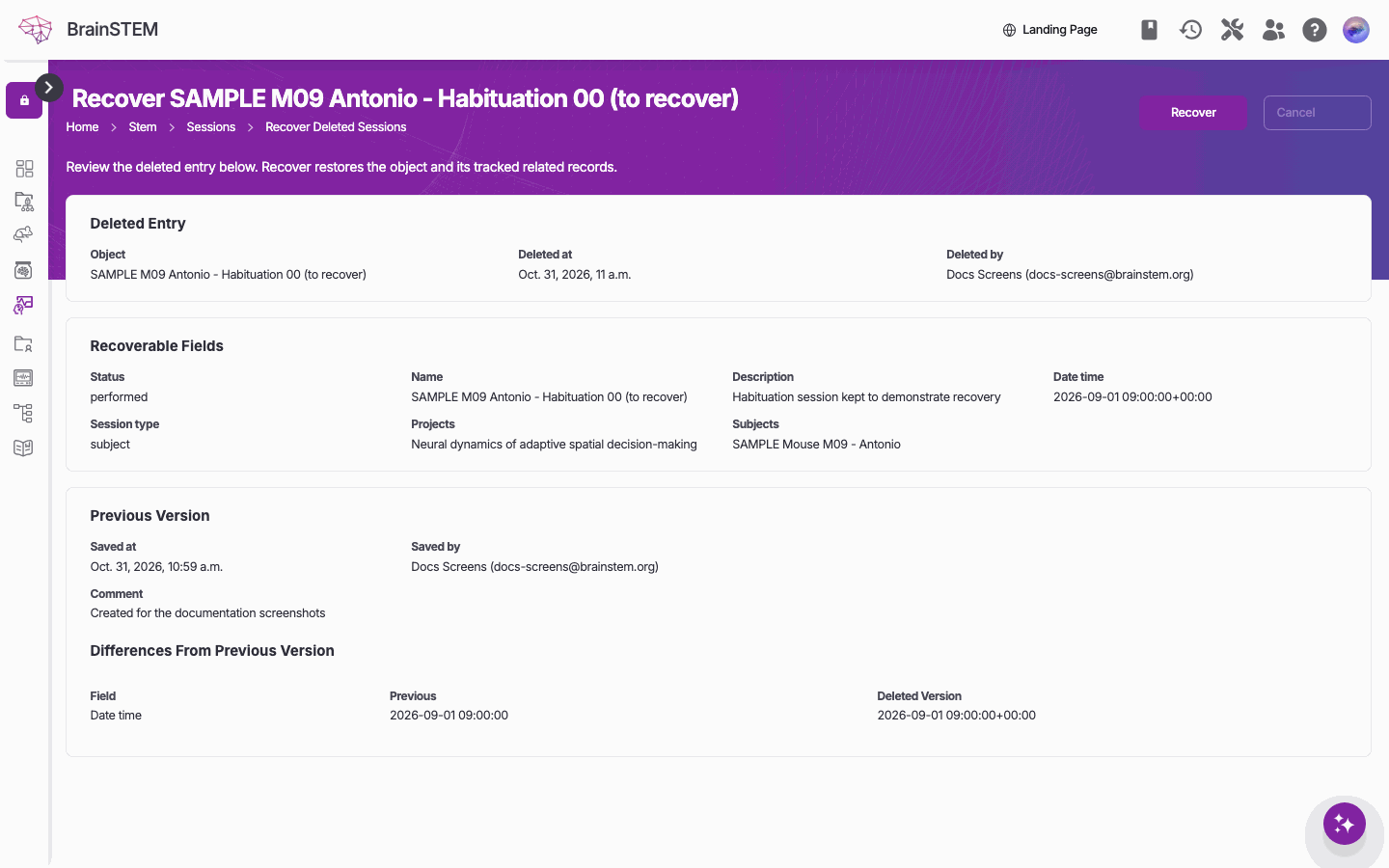
Recovering a deleted session: the fields that will come back, the previous version, and the differences; Recover restores it.
Recovery restores the entry with its original identifier, its relations, tags, permissions and the child records that were deleted with it. The page confirms “{entry} was successfully recovered.”
Deleted entries are not removed automatically after a while: an entry stays recoverable until someone recovers it.
Revision history
Every save of an entry is stored as a revision with the date, user and a comment such as “Changed name, description.”, “Updated via API.”, “Revision before deletion” or “{label} (planning transition)”. Open the history with the history icon on the details page (users with change permission; on projects, owners only) or from the change form of subjects, sessions and specimen sets.
The history page lists the revisions with Date/time, User and Action: “Choose a date from the list below to revert to a previous version of this object.” Opening a revision shows the entry as it was and offers Revert {entry type} to restore that version as a new save; the later revisions are kept.
Guided duplicates record the differences from their original in the copy’s history, and planning transitions are recorded as revisions as well.
Older revisions are thinned out periodically. For each entry BrainSTEM always keeps the first revision and the five most recent ones, and of the rest one revision per hour for the last hour, one per day for the last week, one per week for the last month, one per month for the last year and one per year before that.
Related
- Single entry view: the history icon and the trash icon on a details page
- List view: the Recover button and Delete selected items
- Permissions: who may delete and recover entries in a project
- Planning: cancelling a plan instead of deleting it
- Projects: what a project takes with it when it is deleted